
WindsorDi's photos with the keyword: visualEffect
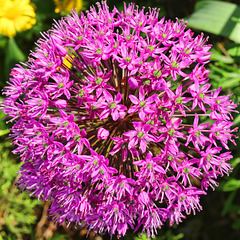
allum globe
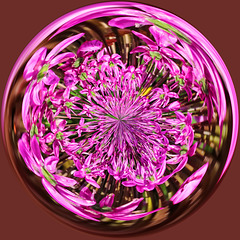
allum Orb
| 02 Jun 2014 |
|
|
Photoshop Elements, Paintshop or any image editing suite with filter tools:
Whatever program you're using, start with a square-cropped image.
Under Effects( or Filters),
- select "Distortion," (or Distort)
…. and then select "Polar Coordinates."
1) Convert Polar to Rectangle.
2) Flip the image right side up again.
3) Convert Rectangle to Polar.
Bingo! You have an Orb.
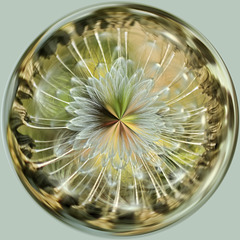
Dandelion Seedhead ORB
| 02 Jun 2014 |
|
|
Photoshop Elements, Paintshop or any image editing suite with filter tools:
Whatever program you're using, start with a square-cropped image.
Under Effects( or Filters),
- select "Distortion," (or Distort)
…. and then select "Polar Coordinates."
1) Convert Polar to Rectangle.
2) Flip the image right side up again.
3) Convert Rectangle to Polar.
Bingo! You have an Orb.
Jump to top
RSS feed- WindsorDi's latest photos with "visualEffect" - Photos
- ipernity © 2007-2026
- Help & Contact
|
Club news
|
About ipernity
|
History |
ipernity Club & Prices |
Guide of good conduct
Donate | Group guidelines | Privacy policy | Terms of use | Statutes | In memoria -
Facebook
X
