
Group: Ipernity User Help Central
☑ Viewing images

|
By
M♥rJ Photogr♥phy !! ( Marj )
club
|
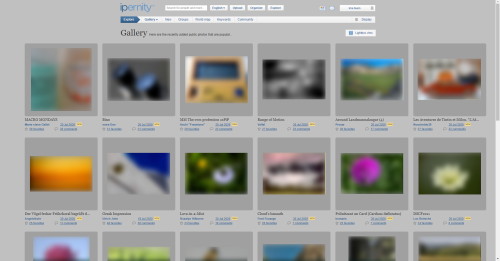
Is it the new way of viewing our images on the front page a long line of them at the left side of the screen. I can't get it back to how it used to be ?
You must be a member of this group to reply to this topic. (Join?)
Jump to top
RSS feed- Latest comments - Subscribe to the comment feed for this topic
- ipernity © 2007-2026
- Help & Contact
|
Club news
|
About ipernity
|
History |
ipernity Club & Prices |
Guide of good conduct
Donate | Group guidelines | Privacy policy | Terms of use | Statutes | In memoria -
Facebook
X

Sami Serola (inactiv… has repliedSome browser statistics: gs.statcounter.com/browser-market-share
Chrome and Safari are leading. It does not mean they are the best browsers out there. But most used. So, it often means also best support.
I used to be Opera fan few years ago. But then they changed the engine, and it is nowadays pretty much the same as Chrome.
And yes, operating system (OS) should be updated as often as possible, and if possible. I should upgrade Ubuntu Linux OS on my laptop soon...
Rob Stamp clubso what is happening ? maybe it is just a fluke have to wait & see !!
Sami Serola (inactiv… has replied